

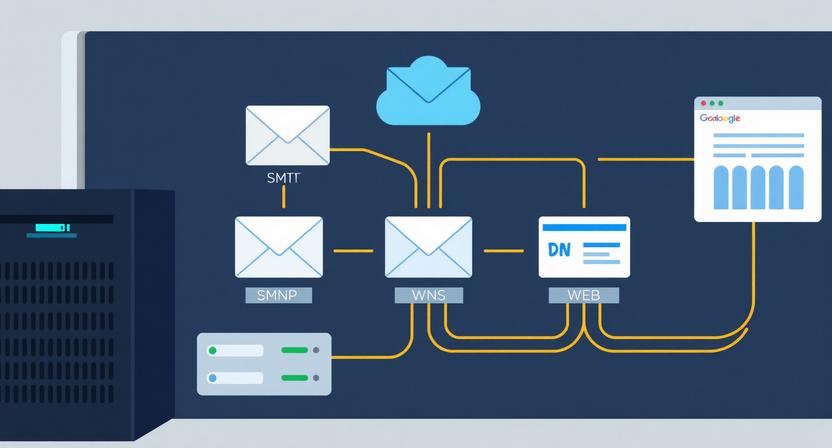
What Is Postal SMTP Server?
Postal is a free, open-source mail delivery platform designed for sending transactional and bulk email from your own infrastructure. Originally developed by the Krystal hosting organization and released under the MIT license, Postal serves as a powerful self-hosted alternative to cloud-based email services like SendGrid, Mailgun, and Postmark. It operates as an SMTP relay and HTTP API server that sits between your applications and the recipient’s inbox, queuing messages, signing them with DKIM for authentication, and ensuring reliable delivery.
It is important to understand what Postal is not: it is not a mailbox server and does not provide IMAP access or inbox functionality like Gmail. Instead, Postal specializes in outbound email delivery, making it the ideal choice for SaaS applications, e-commerce platforms, notification systems, and marketing automation workflows where reliable transactional email is critical. For businesses exploring other SEO tools and email solutions, Postal stands out as a cost-effective, feature-rich option.

Why Choose Postal SMTP Over Cloud-Based Services?
1. Eliminate Per-Email Costs
Cloud providers like SendGrid and Mailgun charge per email, with monthly bills ranging from $50 to $500+ at scale. A $5/month VPS running Postal handles over 100,000 emails with zero per-email charges. For businesses sending transactional emails such as password resets, order confirmations, and welcome messages, the savings compound significantly over the year.
2. Full Data Ownership and Control
With Postal, you own every aspect of your email infrastructure. You control retention policies, sending limits, and domain configurations. There are no surprise account suspensions, no vendor lock-in, and no third-party access to your email data. This is especially valuable for businesses in regulated industries or those handling sensitive customer communications.
3. Scalability and Multi-Tenancy
Postal supports multiple organizations, mail servers, and sending domains from a single installation. This makes it ideal for agencies managing email for multiple clients or SaaS platforms with numerous tenants. You can create separate credentials, monitor metrics independently, and scale resources without waiting for a provider to upgrade your plan.
Key Features of Postal SMTP Server
Postal delivers a comprehensive feature set that rivals expensive cloud-based platforms:
SMTP Relay and HTTP API: Postal provides both a traditional SMTP relay (ports 25/587) and a modern HTTP API with webhook support. This dual-interface approach ensures seamless integration with any application, regardless of whether it uses SMTP or API-based email sending.
Real-Time Analytics: Track opens, clicks, bounces, and spam complaints through a built-in analytics dashboard. Configure webhooks for instant delivery event notifications, enabling automated workflows for handling bounces or processing unsubscribes.
DKIM Signing and SPF Support: Postal automatically signs outgoing emails with DKIM and verifies SPF records, providing complete email authentication for maximum deliverability. DMARC policy implementation is also fully supported.
IP Pool Management: Configure different IP addresses for different sending purposes, separating transactional email from marketing campaigns or dedicating clean IPs to new clients. This is crucial for maintaining sender reputation across multiple sending streams.
SpamAssassin Integration: Built-in spam scanning catches potential issues before emails leave your server, reducing the risk of messages being flagged by recipient mail servers.
System Requirements
Before installing Postal, ensure your server meets these minimum requirements: 4GB RAM, 2 CPU cores, 25GB disk (8GB RAM and 4 cores recommended for production). The operating system should be Ubuntu 24.04 LTS, and you need root access plus a domain name with DNS management capabilities.
The most critical prerequisite is outbound port 25 access. Providers like AWS, Google Cloud, and DigitalOcean block port 25 by default. Port-25-friendly providers include Contabo, Hetzner, Kamatera, and Hostinger. Always verify current policies before committing to a VPS.
Step-by-Step Installation Guide
Step 1: Install Docker
Connect to your VPS via SSH, update system packages, and install Docker and Docker Compose. Postal runs exclusively as Docker containers, making these tools non-negotiable prerequisites. Configure your firewall to allow ports 22, 25, 80, 443, and 587.
Step 2: Set Up MariaDB
Install MariaDB as the database backend. Set a strong root password, create a dedicated Postal database with utf8mb4 character encoding, and configure appropriate user permissions. The database stores all configuration, message logs, and delivery statistics.
Step 3: Bootstrap Postal
Clone the Postal installation helper repository and run the bootstrap script. Configure your Postal hostname (e.g., postal.yourdomain.com), generate the admin credentials, and initialize the database schema. This process typically takes under five minutes.
Step 4: Configure Reverse Proxy and SSL
Set up Nginx as a reverse proxy with HTTPS using a Let’s Encrypt SSL certificate. Start all Postal Docker containers and verify the web dashboard is accessible at your configured domain.

Step 5: Send a Test Email
Log into the dashboard, create your first sending domain, generate SMTP credentials, and send a test email. Verify delivery by checking the analytics panel for tracking data and confirmation of successful delivery.
DNS Configuration for Maximum Deliverability
Proper DNS configuration is the most important factor for inbox placement. Postal generates the required DNS records for each sending domain through its web interface.
SPF Records
A TXT record specifying authorized IP addresses for your domain. For Postal: v=spf1 ip4:YOUR_SERVER_IP -all. This tells receiving servers that your Postal VPS is an authorized sender for your domain.
DKIM Setup
Postal auto-generates DKIM key pairs. Add the provided public key as a TXT record in your DNS zone. Every outgoing email is then cryptographically signed, proving authenticity to receiving servers.
DMARC Policy
Start with p=quarantine and rua=mailto:dmarc@yourdomain.com to monitor authentication results before enforcing a strict reject policy. DMARC builds on SPF and DKIM to instruct receiving servers how to handle failed authentication.

PTR (Reverse DNS) Record
Contact your VPS provider to set a PTR record mapping your server IP to a hostname that resolves back to the same IP. Many receiving servers check this as part of spam filtering.
Postal SMTP vs. SendGrid vs. Mailgun vs. Postfix

| Feature | Postal SMTP | SendGrid | Mailgun | Postfix |
|---|---|---|---|---|
| Cost | Free (VPS only) | $15-89+/mo | $35-75+/mo | Free (server) |
| Type | Self-Hosted | Cloud SaaS | Cloud SaaS | Self-Hosted |
| SMTP Relay | Yes | Yes | Yes | Yes |
| HTTP API | Yes | Yes | Yes | No |
| Open Source | MIT License | Proprietary | Proprietary | IBM Public |
| Email Tracking | Yes | Yes | Yes | Limited |
| IP Pools | Yes | Paid plans | Paid plans | Manual |
| Web Dashboard | Yes | Yes | Yes | No |
| Multi-Tenant | Yes | No | No | No |
| Setup Difficulty | Medium | Easy | Easy | Hard |
Postal occupies a unique position, combining the cost advantages of self-hosting with the feature set of cloud SaaS. The trade-off is the technical expertise required for setup and maintenance. For organizations with DevOps capabilities, Postal offers unmatched control and cost efficiency.
Email Deliverability Best Practices
Warm Up Your IP Address
Start with 50-100 emails per day and gradually increase over 2-4 weeks. A sudden burst of email from a new IP signals spam to mailbox providers. Patience during warm-up pays long-term dividends in deliverability.
Monitor Bounces and Complaints
Keep bounce rates below 2% and complaint rates below 0.1%. Postal’s built-in tracking provides real-time visibility. Investigate spikes immediately, as common causes include stale email lists or spam-triggering content.
Authenticate Everything
Ensure SPF, DKIM, DMARC, and PTR records are correctly configured for every domain. Use Postal’s DNS generator and verify records with online testing tools before sending production email.

Integrating Postal with Your Applications
SMTP Integration
Generate credentials in the Postal dashboard and configure your application to use the SMTP server on port 587 with TLS. Most frameworks including Django, Laravel, Node.js with Nodemailer, and Spring Boot work seamlessly with Postal SMTP.
HTTP API Integration
The RESTful API accepts JSON payloads for sending to single or multiple recipients, with support for attachments, custom headers, templates, and tracking preferences. Authentication uses scoped API keys generated in the dashboard.
Webhook Configuration
Configure webhook URLs in the dashboard to receive real-time HTTP POST notifications for delivery, open, click, bounce, and complaint events. This enables automated workflows for processing bounces and updating customer records based on engagement.
Security Considerations
Configure your firewall to restrict access to ports 22, 25, 80, 443, and 587 only. Use SSH key authentication and disable root login. Implement rate limiting and sending quotas to prevent abuse. Keep your OS and Docker containers updated with security patches. Enable automated database backups with 7-day retention. Secure the web dashboard with HTTPS, strong passwords, and review credentials regularly.
Top Use Cases for Postal SMTP
SaaS Notifications: Sign-up confirmations, password resets, billing receipts, and in-app digests. The HTTP API integration makes it straightforward to add reliable email sending to any application.
E-Commerce Orders: Order confirmations, shipping notifications, and delivery updates. Tracking features let you monitor delivery success rates in real time.
Marketing Campaigns: IP pool management and analytics make Postal suitable for email marketing, with segmentation across different IPs to protect sender reputation.
Agency Multi-Client Management: Manage email delivery for multiple clients from a single server with separate domains, credentials, and analytics per client.
Conclusion
Postal SMTP offers a compelling combination of features, cost efficiency, and control that makes it a serious alternative to cloud-based email services. For businesses sending more than 10,000 emails per month, the cost savings alone justify the investment in a self-hosted mail server. Advanced features like IP pool management, SpamAssassin integration, multi-tenancy, and comprehensive analytics position Postal as one of the most capable open-source mail delivery platforms available.
Self-hosting requires technical expertise in server administration, Docker, DNS, and email deliverability. Your sender reputation is entirely in your hands. But if your team has the skills, or you are willing to invest in learning, Postal delivers enterprise-grade email delivery without the enterprise-grade price tag.
