

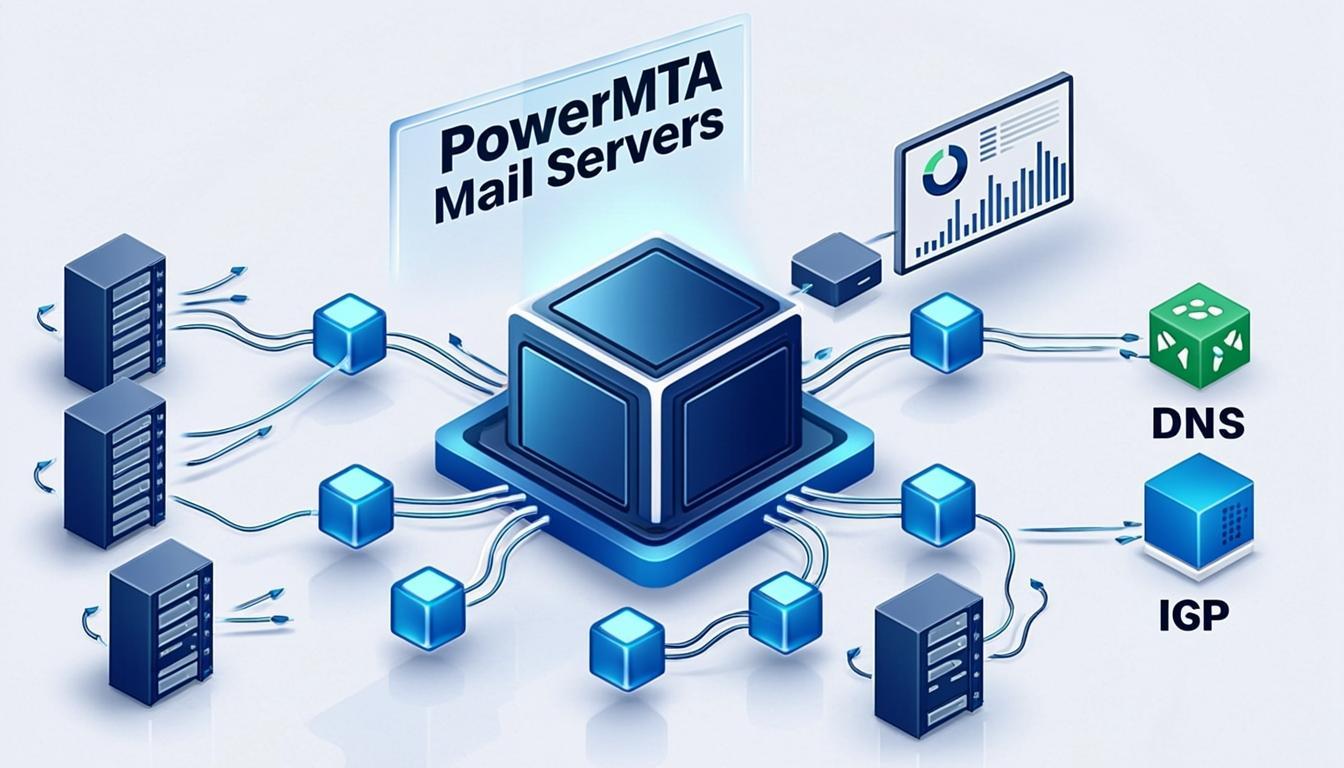
What Is PowerMTA SMTP Server?
PowerMTA is a commercial, enterprise-grade Mail Transfer Agent (MTA) developed by Port25 Solutions, designed specifically for high-volume outbound email delivery. Unlike general-purpose mail servers such as Postfix or Sendmail, PowerMTA is purpose-built to handle millions of emails per day with fine-grained control over delivery rules, IP management, and sender reputation. It is the MTA of choice for email service providers (ESPs), enterprise marketing departments, and anyone who needs industrial-strength email delivery infrastructure.
At its core, PowerMTA operates as an SMTP relay that sits between your email-generating applications and the recipient mail servers. It receives messages via SMTP or HTTP, applies complex routing and delivery rules, manages IP reputation across multiple sending IPs, and delivers messages with exceptional throughput and reliability. What sets PowerMTA apart from open-source alternatives is its Virtual MTA architecture, which allows you to create multiple logical mail servers on a single physical installation, each with its own IP address, sending domain, and delivery policies.
Whether you are running an email marketing platform, managing transactional email for a SaaS application, or operating a full-service ESP, PowerMTA provides the infrastructure backbone that ensures your messages reach the inbox consistently and at scale. For businesses exploring other email marketing tools and solutions, understanding PowerMTA is essential for making informed infrastructure decisions.

Why Choose PowerMTA Over Other SMTP Solutions?
The email delivery market offers a wide range of solutions, from cloud-based APIs like SendGrid and Mailgun to open-source MTAs like Postfix and Exim. PowerMTA occupies a distinct position as the premium choice for organizations that need maximum control, scalability, and deliverability performance. Here is why businesses choose PowerMTA.
1. Unmatched Throughput and Scalability
PowerMTA is engineered to handle email volumes that would overwhelm most mail servers. A properly configured PowerMTA instance can process millions of messages per hour across dozens or even hundreds of IP addresses. The software uses a highly efficient multi-threaded architecture with connection pooling, adaptive concurrency controls, and intelligent message queuing that automatically adjusts sending rates based on recipient ISP responses. This means you can scale from thousands to billions of emails without changing your underlying infrastructure.
2. Virtual MTA Architecture
The Virtual MTA (vMTA) system is PowerMTA’s most powerful feature. Each vMTA acts as an independent mail server with its own IP address, hostname, and delivery configuration. You can create hundreds of vMTAs on a single PowerMTA installation, each bound to a different IP or set of IPs. This enables sophisticated IP rotation strategies, domain-based segregation of traffic, and granular per-campaign delivery controls. For example, you can dedicate specific vMTAs to transactional email from your primary domain while routing marketing campaigns through separate vMTAs with their own reputation profiles.
3. Advanced Bounce Classification and Feedback Loops
PowerMTA includes a built-in bounce processing engine that classifies bounces into detailed categories (hard bounces, soft bounces, mailbox full, content filtered, DNS failures, and more). It automatically processes ISP Feedback Loop (FBL) complaints and can trigger automated actions such as suppressing complaining recipients, throttling sending rates, or switching to backup IPs. This automated reputation management is critical for maintaining high deliverability rates at volume.
4. Enterprise-Grade Monitoring and Reporting
PowerMTA provides real-time monitoring through SNMP, HTTP-based metrics endpoints, and its built-in management console. You can track delivery rates, bounce rates, complaint rates, throughput, and queue depths across all virtual MTAs in real time. This visibility is essential for identifying delivery problems before they impact sender reputation, and for providing detailed reporting to clients or stakeholders.
PowerMTA System Requirements and Prerequisites
Before installing PowerMTA, ensure your server environment meets the following minimum specifications. PowerMTA runs natively on Linux (RHEL, CentOS, Rocky Linux, Ubuntu, Debian) and supports both IPv4 and IPv6 environments.
Minimum requirements: 4 CPU cores, 8GB RAM, 500GB SSD storage, and a dedicated server or VPS with full root access. For high-volume production deployments handling 1 million+ emails per day, a server with 16+ CPU cores, 32GB+ RAM, and NVMe storage is recommended. Storage speed is particularly important because PowerMTA performs intensive disk I/O for message queuing and log processing.
You also need a pool of clean, dedicated IP addresses (typically 5 to 100+ depending on volume), each with properly configured reverse DNS (PTR) records. A commercial license for PowerMTA is required, as it is not open-source software. Licenses are available directly from Port25 Solutions or through authorized resellers, with pricing based on throughput capacity and the number of IP addresses.
Step-by-Step PowerMTA Installation Guide
Installing PowerMTA requires a valid license key and root access to a Linux server. The installation process is straightforward but requires careful attention to network configuration and DNS setup.
Step 1: Prepare Your Linux Server
Start with a clean installation of CentOS 7/8, Rocky Linux 8/9, or Ubuntu 20.04/22.04. Update all system packages and install required dependencies including development tools, SSL libraries, and DNS utilities. Ensure that your firewall allows outbound traffic on port 25 and inbound traffic on ports 25 (SMTP), 80/443 (management interface), and the monitoring port. Configure your server’s hostname to match the primary rDNS record.
Step 2: Download and Install PowerMTA
Obtain the PowerMTA installation package (RPM for RHEL-based systems or DEB for Debian/Ubuntu) from Port25 Solutions along with your license key. Install the package using your system’s package manager. The installer will set up the PowerMTA binary files, default configuration directory at /etc/pmta/, spool directories for message queuing, and log directories for delivery tracking.
Step 3: Configure License and Network Settings
Place your license key in the configuration directory and verify the license activation. Configure network settings to bind PowerMTA to your server’s IP addresses. If you have multiple IP addresses assigned to the server, ensure that all of them are properly configured at the operating system level before proceeding to Virtual MTA setup.

Step 4: Configure Virtual MTAs and Delivery Rules
PowerMTA’s main configuration file is pmta.conf, where you define all Virtual MTAs, source IP bindings, delivery rules, and system-wide policies. Each Virtual MTA is defined with a unique name, source IP address (or range), SMTP banner hostname, and optional delivery rate limits. Here is a simplified example:
<Virtual-MTA "vmta-marketing-1">
    source-interface 192.168.1.10
    smtp-banner-hostname mail1.yourdomain.com
    max-msg-rate 5000/min
    max-smtp-out 100
</Virtual-MTA>

<Virtual-MTA "vmta-transactional">
    source-interface 192.168.1.20
    smtp-banner-hostname mail2.yourdomain.com
    max-msg-rate 20000/min
    max-smtp-out 200
</Virtual-MTA>
This configuration creates two virtual MTAs: one for marketing traffic with conservative rate limits, and one for transactional email with higher throughput. You can create as many vMTAs as needed, each mapped to a different IP address and sending domain.
Step 5: Set Up SMTP Authentication and Access Control
Configure SMTP authentication credentials that your sending applications will use to connect to PowerMTA. Define access control rules to specify which authenticated users (or IP addresses) can send through which Virtual MTAs. This ensures that transactional email applications use the appropriate vMTA with the correct sending domain and IP, while marketing applications route through their designated vMTAs.
Step 6: Start PowerMTA and Verify
Start the PowerMTA service and verify it is listening on port 25. Send a test message through the SMTP relay and confirm delivery by checking the PowerMTA logs at /var/log/pmta/. Verify that the message was sent from the correct source IP and that the SMTP banner matches your configured hostname. Use external testing tools such as Mail-Tester to validate your SPF, DKIM, and DMARC configuration.
DNS Configuration for PowerMTA Deliverability
DNS configuration is the single most important factor in determining whether your emails reach the inbox. PowerMTA handles the technical delivery mechanics, but without proper DNS records, your messages will be rejected or filtered regardless of how well PowerMTA is configured.
SPF (Sender Policy Framework) Records
Every IP address that PowerMTA uses to send email must be authorized in your domain’s SPF record. For servers with many sending IPs, use the include: mechanism or ip4: directives to list all IP ranges. A properly configured SPF record for a PowerMTA deployment might look like:
v=spf1 ip4:192.168.1.0/24 ip4:10.0.0.0/24 -allThe -all mechanism instructs receiving servers to reject email from unauthorized IP addresses, providing the strongest SPF protection.
DKIM (DomainKeys Identified Mail) Signing
PowerMTA supports DKIM signing both per-virtual-MTA and per-domain. Configure DKIM keys in your PowerMTA configuration and publish the corresponding public key as a TXT record in your DNS zone. Each sending domain should have its own DKIM selector and key pair. PowerMTA automatically signs outgoing messages with the appropriate key based on the Virtual MTA or domain configuration.
DMARC Policy and Reporting
Implement DMARC policies for all sending domains with a minimum of p=quarantine for production traffic. Configure aggregate reporting (rua) and failure reporting (ruf) addresses to receive feedback from participating ISPs. Use a DMARC reporting service to analyze the data and identify authentication failures before they impact your deliverability.

Reverse DNS (PTR) Records
Every IP address used by PowerMTA must have a PTR record that maps the IP back to a hostname, which in turn resolves forward to the same IP. The hostname should use a consistent naming convention (such as mail1.yourdomain.com, mail2.yourdomain.com) and match the SMTP banner configured in each Virtual MTA. Inconsistencies between PTR records, SMTP banners, and HELO/EHLO hostnames are a common cause of spam filtering.
PowerMTA vs. SendGrid vs. Mailgun vs. Postfix

| Feature | PowerMTA | SendGrid | Mailgun | Postfix |
|---|---|---|---|---|
| Cost | License-based | $15-89+/mo | $35-75+/mo | Free (server) |
| Deployment | Self-Hosted | Cloud SaaS | Cloud SaaS | Self-Hosted |
| Max Volume | Billions/day | Limited by plan | Limited by plan | Millions/day |
| Virtual MTAs | Yes (unlimited) | No | No | No (workarounds) |
| IP Rotation | Native | Managed | Managed | Manual setup |
| Bounce Classification | Advanced | Basic | Basic | Basic |
| Feedback Loops | Auto-processed | Yes | Yes | Manual |
| HTTP API | Via add-ons | Yes | Yes | No |
| Open Source | No (Commercial) | No | No | Yes |
| Setup Difficulty | Hard | Easy | Easy | Medium |
| Best For | ESP/Enterprise | SMBs/Startups | Developers | General mail |
PowerMTA is the only solution in this comparison designed specifically for enterprise-scale outbound email with native support for multi-IP management, advanced bounce processing, and granular delivery control. While SendGrid and Mailgun offer easier setup with managed infrastructure, they limit your control over IP reputation and routing. Postfix is free and open-source but requires significant custom development to match PowerMTA’s feature set. For organizations sending millions of emails daily, PowerMTA is the industry standard.
Email Deliverability Optimization with PowerMTA
Running PowerMTA gives you powerful tools for maximizing inbox placement, but success depends on implementing disciplined deliverability practices alongside your technical configuration.
IP Warming Strategy
Every new IP address assigned to PowerMTA must be warmed gradually. Start with small volumes (100-500 emails per day per IP) and increase by 20-30% every 3-5 days while monitoring bounce rates, complaint rates, and ISP throttling responses. PowerMTA’s max-msg-rate directives make it easy to enforce warm-up rate limits per Virtual MTA, and you can gradually increase these limits as the IP establishes positive reputation.
Pro Tip: Use PowerMTA’s <Source/> directive to create different sending configurations for different recipient domains. This allows you to tailor sending rates and concurrency for each ISP (Gmail, Yahoo, Microsoft, etc.) independently.
Feedback Loop Processing
Register for ISP Feedback Loops (FBLs) using the postmaster@ address for each sending domain. Configure PowerMTA to automatically process incoming FBL reports, extract the complaining recipient addresses, and add them to a suppression list. This prevents repeat complaints from the same users, which is critical for maintaining good standing with ISPs. PowerMTA can also automatically throttle or halt sending on a Virtual MTA if complaint rates exceed configurable thresholds.
Content Filtering and Compliance
PowerMTA supports integration with external content scanners and spam filters that can evaluate outgoing messages before delivery. Configure content filtering rules to quarantine messages that trigger spam scores above acceptable thresholds. Additionally, ensure all emails include proper List-Unsubscribe headers, a physical mailing address in the footer, and clear identification of the sender. These compliance elements are legally required in many jurisdictions and are factored into ISP spam filtering decisions.

Monitoring and Alerting
Set up real-time monitoring for key PowerMTA metrics including delivery success rate, bounce rate by category, complaint rate, queue depth, and per-vMTA throughput. Use SNMP integration to feed metrics into monitoring platforms like Nagios, Zabbix, or Datadog. Configure automated alerts for anomaly detection: a sudden spike in hard bounces may indicate a stale email list, while increased ISP deferrals could signal a reputation issue. Proactive monitoring allows you to address deliverability problems before they escalate into sender reputation damage.
PowerMTA Configuration Best Practices
A well-configured PowerMTA instance requires attention to several key areas beyond basic installation. These best practices will help you maximize performance and deliverability.
Message Queuing and Retry Policies
Configure appropriate retry intervals and maximum retry durations for deferred messages. PowerMTA’s <Destination-Control/> directives allow you to set destination-specific policies, including retry intervals, maximum connection limits, and TLS requirements for each recipient domain. Implement exponential backoff for retries to avoid overwhelming recipient servers during temporary outages.
TLS Encryption Configuration
Enable TLS encryption for all outbound connections where the recipient server supports it. Many major ISPs (Gmail, Microsoft, Yahoo) now require or strongly prefer TLS-encrypted connections. Configure PowerMTA to use opportunistic TLS (try TLS first, fall back to plain if not supported) or mandatory TLS for specific destinations. Obtain TLS certificates from a trusted certificate authority and configure them in the PowerMTA configuration for both inbound and outbound connections.
Log Management and Rotation
PowerMTA generates detailed logs for every delivery attempt, bounce, and system event. At high volumes, log files can consume significant disk space rapidly. Configure log rotation policies in pmta.conf to compress and archive old logs, retain logs for an appropriate compliance period (typically 30-90 days), and monitor disk space usage. Many organizations integrate PowerMTA logs with external log analysis platforms such as Splunk or the ELK stack for advanced analytics and reporting.
Common Use Cases for PowerMTA SMTP
PowerMTA serves a wide range of enterprise email delivery needs across different industries and business models.
Email Service Providers (ESPs): PowerMTA is the backbone of most commercial ESPs. Its multi-tenant Virtual MTA architecture allows ESPs to serve hundreds or thousands of clients from a single server cluster, with complete isolation of IP reputation, delivery rates, and configuration between clients.
Enterprise Marketing Departments: Large organizations that send millions of promotional emails per month use PowerMTA for direct control over their sending infrastructure, eliminating per-email costs and enabling sophisticated delivery optimization that cloud APIs cannot match.
Transactional Email at Scale: SaaS platforms, fintech companies, and e-commerce businesses generating high volumes of transactional emails benefit from PowerMTA’s reliability and throughput. The ability to prioritize transactional traffic through dedicated Virtual MTAs ensures that critical emails like password resets and order confirmations are delivered with maximum speed.
Trigger-Based and Automated Email: Marketing automation platforms that send behavioral triggers, abandoned cart reminders, and lifecycle campaigns use PowerMTA’s API integrations and queue management to deliver time-sensitive messages with minimal latency and high reliability.
Conclusion
PowerMTA remains the gold standard for enterprise email delivery infrastructure in 2026. Its Virtual MTA architecture, advanced bounce processing, native IP rotation, and granular delivery controls provide capabilities that no cloud-based API or open-source MTA can fully replicate. For organizations sending millions of emails daily, the investment in PowerMTA licensing and infrastructure pays for itself through eliminated per-email costs, superior deliverability performance, and complete control over sender reputation.
However, PowerMTA is not for everyone. It requires significant technical expertise in Linux server administration, SMTP protocol internals, DNS management, and email deliverability. The commercial license represents a substantial upfront investment compared to free alternatives. Organizations that lack in-house email infrastructure expertise or that send lower volumes may find cloud-based solutions more appropriate for their needs. But for those who need the ultimate in email delivery performance and control, PowerMTA stands in a class of its own.
